Wild Construct Entropy デモ版インストール方法
このページではWild Construct Entropyの デモ版インストール方法をご案内いたします。
Wild Construct Entropy デモ版インストール方法:Step 1
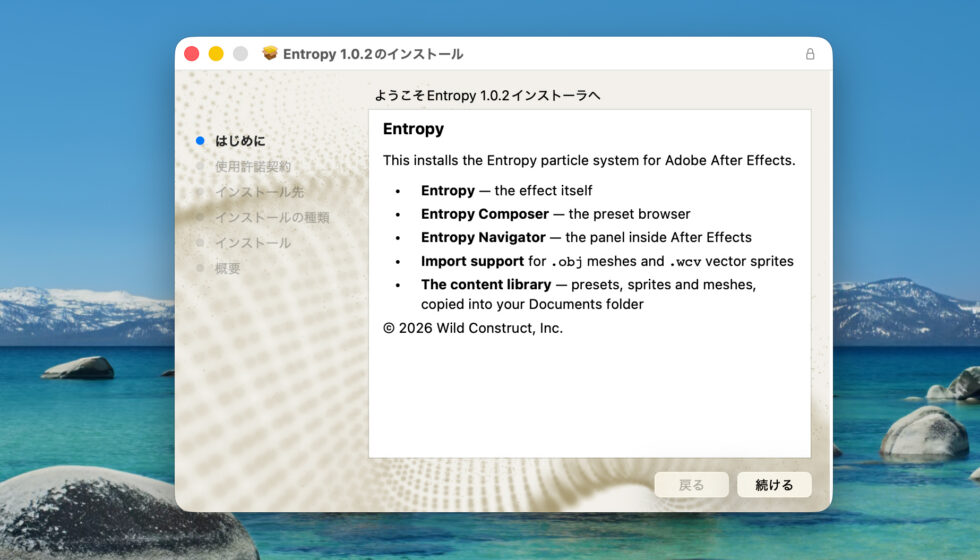
Entropyのインストーラーを起動、続けるをクリックします。
Wild Construct Entropy デモ版インストール方法:Step 2
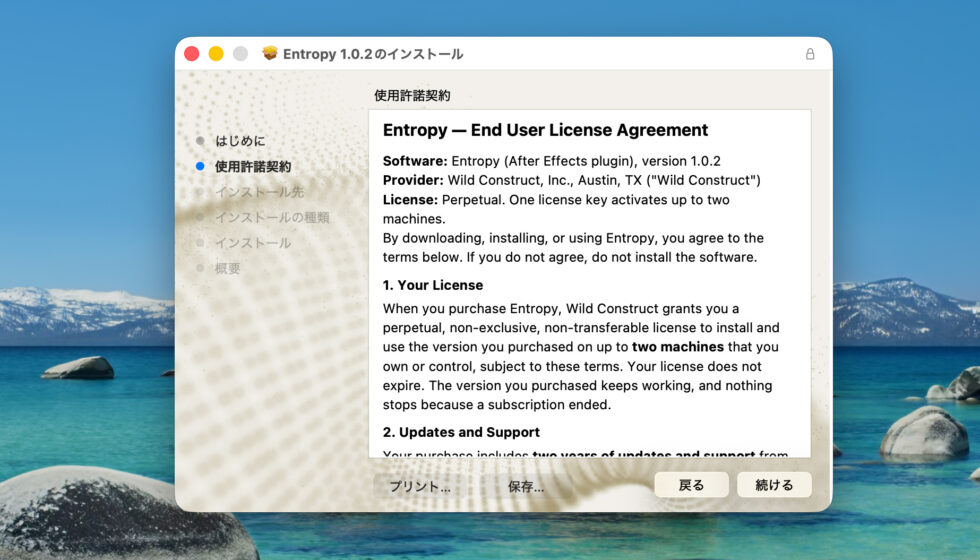
仕様許諾が表示されます、内容を確認して続けるをクリックします。
Wild Construct Entropy デモ版インストール方法:Step 3
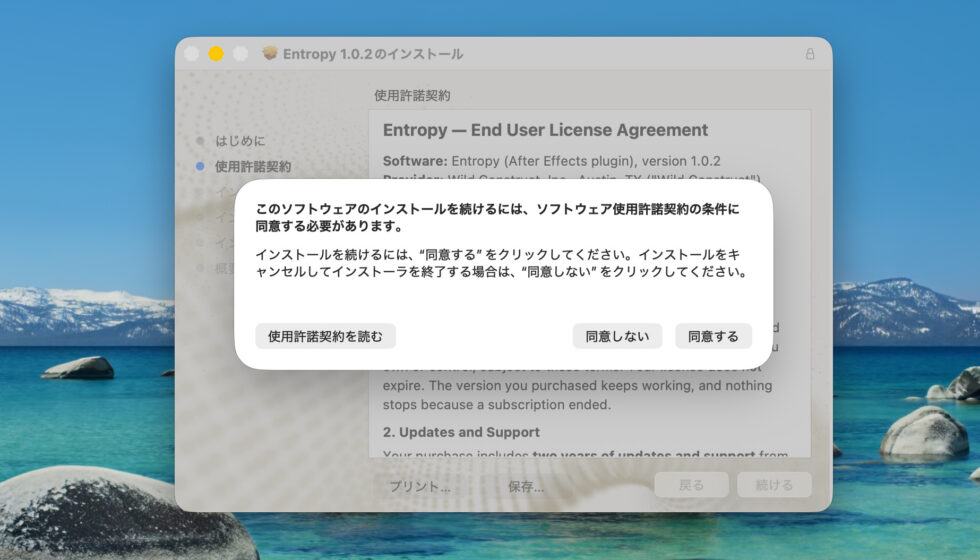
仕様許諾契約に同意のうえで同意するをクリックします。
Wild Construct Entropy デモ版インストール方法:Step 4
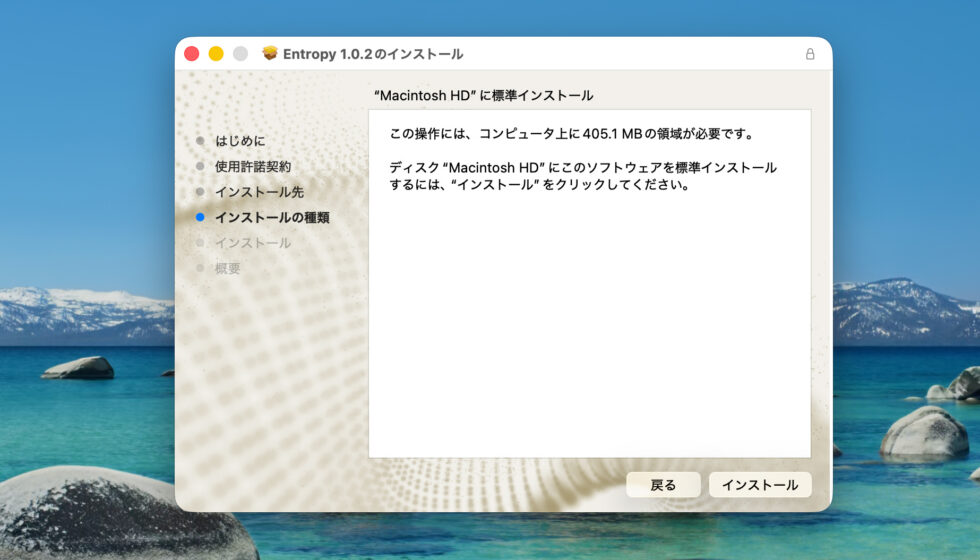
インストールの種類が表示されます、インストールをクリックします。
Wild Construct Entropy デモ版インストール方法:Step 5
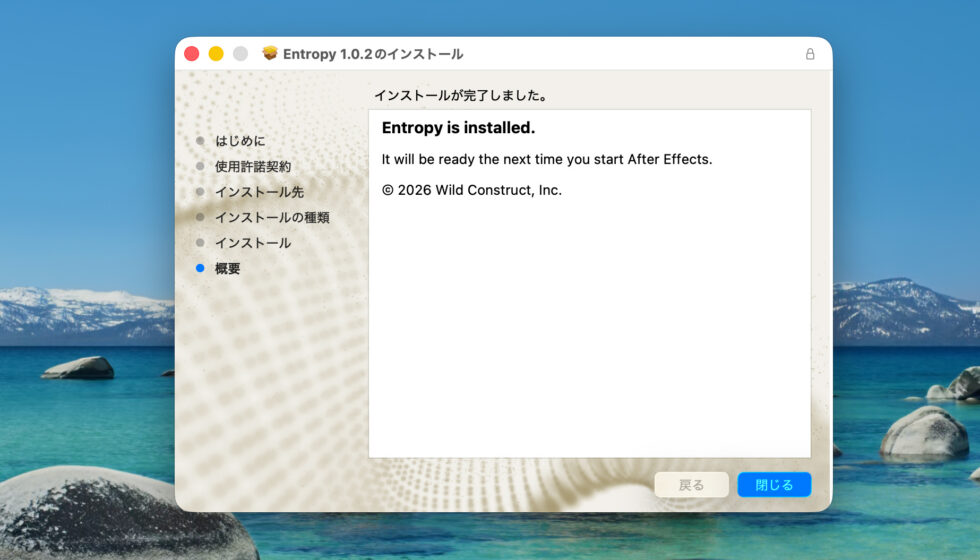
インストールが完了しました、閉じるをクリックしてインストーラーを終了します。
Wild Construct Entropy デモ版インストール方法:Step 6
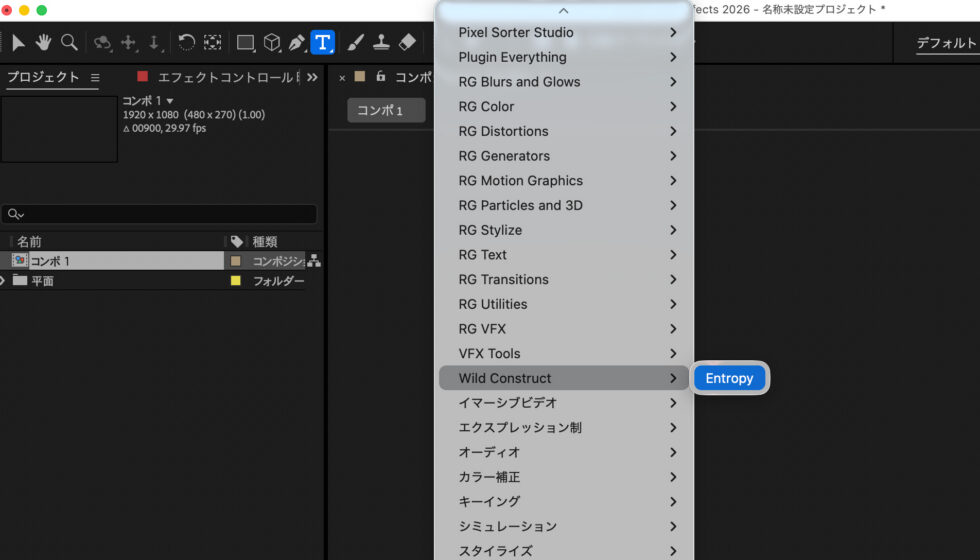
After Effectsを起動してコンポジションを作成、平面を作成します。エフェクト > Wild ConstructからEntropyを適用します。
Wild Construct Entropy デモ版インストール方法:Step 7
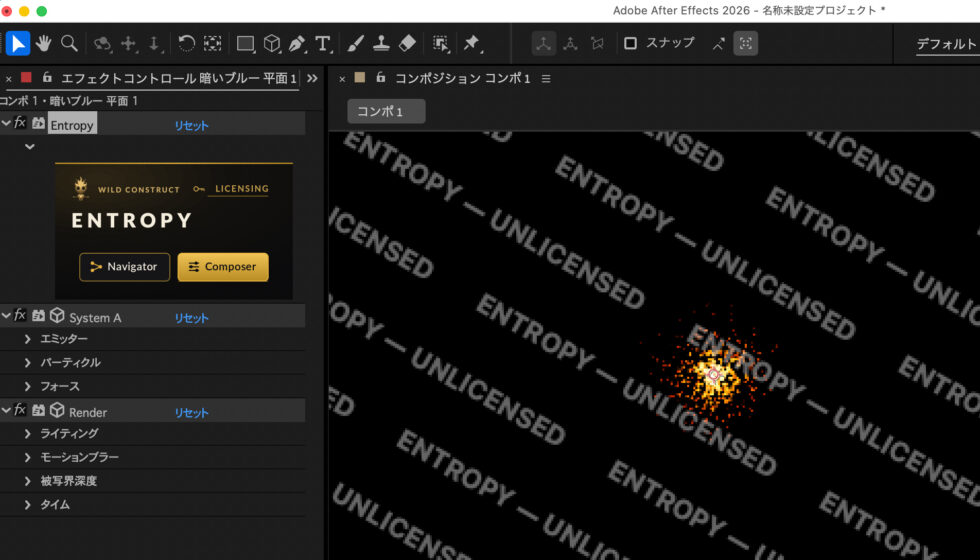
デモ版状態のため透かしが入りますが、Entropyのすべての機能をお試しいただけます。
利用方法等の詳細につきましては Entropyの日本語マニュアル をご参照ください。